
Are You Ready for Star Citizen? PC Requirements Guide
27th Mar 2026
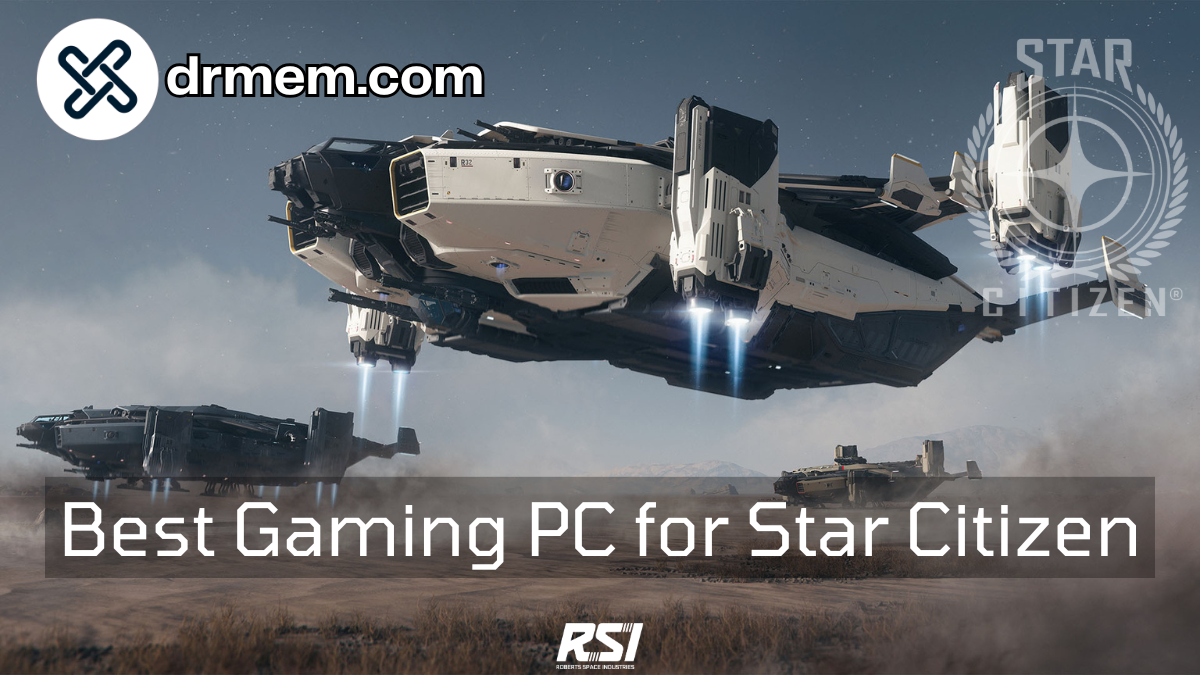
Are You Ready for Star Citizen? PC Requirements Guide
Star Citizen is one of the most ambitious and technically demanding games ever made. This persistent universe space simulation combines stunning visuals, vast open worlds, detailed ship interiors, and seamless transitions from ground to space combat - all without loading screens. It's a game that pushes even the most powerful gaming PCs to their limits.
So: can your gaming PC handle it? Below we break down the official and real-world system requirements, what to expect in terms of performance, and which of our gaming PCs are best suited to Star Citizen. After all, there's nothing worse than finally saving up for that shiny new Constellation Andromeda, only to realise your PC struggles to render it at more than 15 frames per second. That's not space exploration - that's a slideshow with extra steps.
System Requirements: What You Need
Important: Star Citizen is still in active development (Alpha), which means performance can vary significantly between patches. These requirements reflect the current state of the game and may change as development continues.
|
Spec Tier |
Minimum |
Recommended |
|
OS |
Windows 10 64-bit |
Windows 10/11 64-bit |
|
CPU |
Intel Core i7-9700K / AMD Ryzen 5 3600 |
Intel Core i7-12700K / AMD Ryzen 7 5800X |
|
RAM |
32GB DDR4 |
32GB DDR4 3200MHz+ |
|
Graphics (GPU) |
NVIDIA RTX 3060 12GB / AMD RX 6700 XT |
NVIDIA RTX 4070 / AMD RX 7800 XT |
|
Storage |
100GB NVMe SSD (Required) |
100GB+ NVMe SSD (Required) |
Real-World Performance Notes
Star Citizen is notoriously demanding, and there are several important things to understand about its performance:
- 32GB RAM is essentially required. With 16GB, you'll experience severe stuttering and texture pop-in. Don't even consider Star Citizen without 32GB.
- An NVMe SSD is mandatory. The game will not run acceptably from a hard drive - loading times will be extreme and you'll experience constant hitching.
- Server performance affects your FPS. Even with a powerful PC, busy servers can cause frame drops that are out of your control.
- Landing zones are the most demanding areas. Cities like New Babbage and Area 18 can tank your FPS even on high-end systems.
- Space gameplay runs better. Once you're in deep space or doing missions away from crowds, performance improves significantly.
- DLSS and FSR 2.0 support helps balance visual quality with performance.
How Our Gaming PCs Stack Up
Here are some of our gaming PCs that are a strong fit for Star Citizen. Given the game's demanding nature, we recommend systems with at least 32GB RAM and an RTX 3060 or better. Click through to see full details, current pricing, and photos.
|
Gaming PC |
What It Gives You |
|
XUM Legend Gaming PC | AMD Ryzen 5 5500 | RTX 4060 8GB | 32GB RAM |
A solid entry point for Star Citizen. The 6-core Ryzen 5 5500 paired with 32GB RAM and an RTX 4060 gives you the foundation to explore the verse at 1080p medium settings. The NVMe SSD ensures smooth asset streaming - essential for those seamless planetary landings. |
|
XUM Titan Gaming PC | Intel Core i7-13700F | RTX 5060 8GB | 32GB DDR5 |
Step up to serious performance. The i7-13700F's 16 cores handle Star Citizen's demanding calculations with ease, while DDR5 memory provides extra bandwidth for those dense landing zones. Expect smooth 1080p high settings and playable 1440p. |
|
XUM Vista Gaming PC | Intel Core i9-14900KF | RTX 5070 12GB | 32GB DDR5 |
The ultimate Star Citizen machine. The i9-14900KF is one of the most powerful gaming CPUs available, and the RTX 5070 12GB delivers stunning 1440p high settings performance. When you drop out of quantum travel into a firefight, this system won't let you down. |
|
Star Citizen requires 32GB RAM - non-negotiable. Browse our full range of 32GB gaming PCs to find one that fits your budget while meeting the game's demanding requirements. |
|
|
See our full range of gaming PCs. For Star Citizen, prioritise systems with 32GB RAM, an NVMe SSD, and at least an RTX 3060 or equivalent GPU. |
Should You Upgrade?
If your current PC isn't ready for Star Citizen, here are the upgrades most likely to make the biggest difference:
1. Upgrade to 32GB RAM - This is the single most important upgrade for Star Citizen. If you have 16GB, you need more RAM.
2. Get an NVMe SSD - The game must be installed on an SSD. NVMe drives offer the best experience for the game's constant asset streaming.
3. Upgrade your GPU to at least an RTX 3060 12GB or RX 6700 XT for acceptable 1080p performance.
4. Consider a CPU upgrade - Star Citizen loves cores. A modern 8-core CPU like the i7-10700 or Ryzen 7 5700X makes a noticeable difference.
Is Star Citizen Worth It?
Star Citizen offers an experience unlike any other game. Piloting your ship through asteroid fields, landing on alien planets, walking around massive space stations, and teaming up with friends for multi-crew operations - it's the ultimate space simulation. However, it's important to understand:
- The game is still in Alpha development
- Bugs and performance issues are common
- It requires a significant hardware investment
- There is a learning curve for new players
If you're prepared for that and want to be part of gaming's most ambitious project, Star Citizen delivers moments no other game can match.
Bottom Line
Are you ready for Star Citizen? This is a game that demands serious hardware - 32GB RAM, an NVMe SSD, and a modern GPU are the minimum for an enjoyable experience. If your system meets these requirements, you're ready to explore one of gaming's most impressive universes.
Our range of gaming PCs includes plenty of systems capable of running Star Citizen. Focus on our 32GB RAM models with NVMe storage, and you'll be ready to take to the stars.